

You want to help your clients get more out of their audio and video content, but manually transcribing is testing your patience. (“So far, I’ve heard fifteen ‘ums,’ twelve ‘likes,’ and zero good ideas.”)
Even if you decide to automate the process, your transcriptions might be riddled with glaring inaccuracies that require more manual effort in the end.
Wish there was an affordable tool that could accurately transcribe everything from support calls and YouTube videos to online lectures?
Get it done right with UniScribe.
Table of Contents
Fast and accurate transcriptions
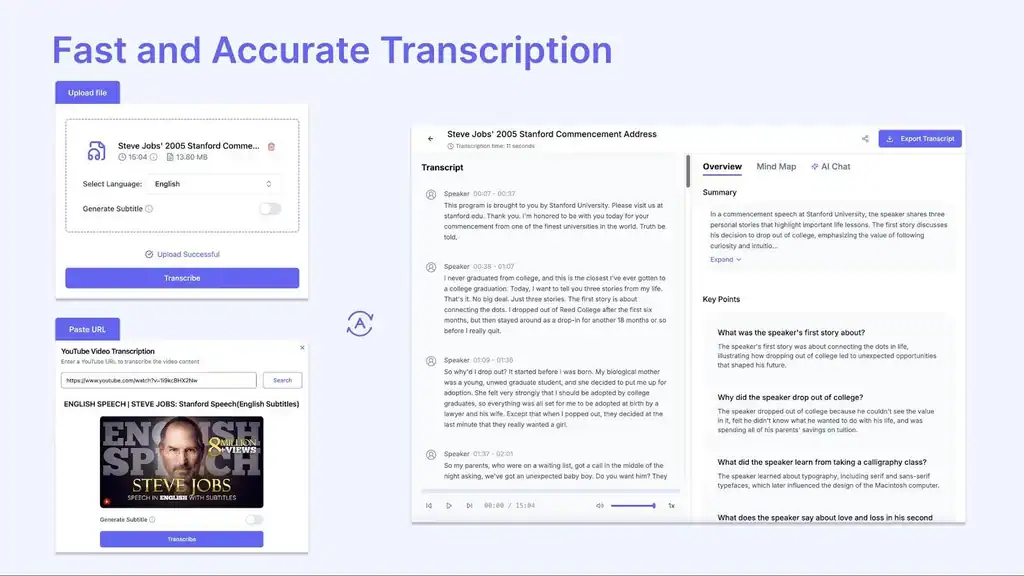
From meeting recordings and interviews to one-hour webinars, UniScribe’s AI can transcribe audio and video files in just minutes.
- Upload your file or drop a YouTube link to get started
- Share links to transcribed meeting notes, support calls, class lectures, and more
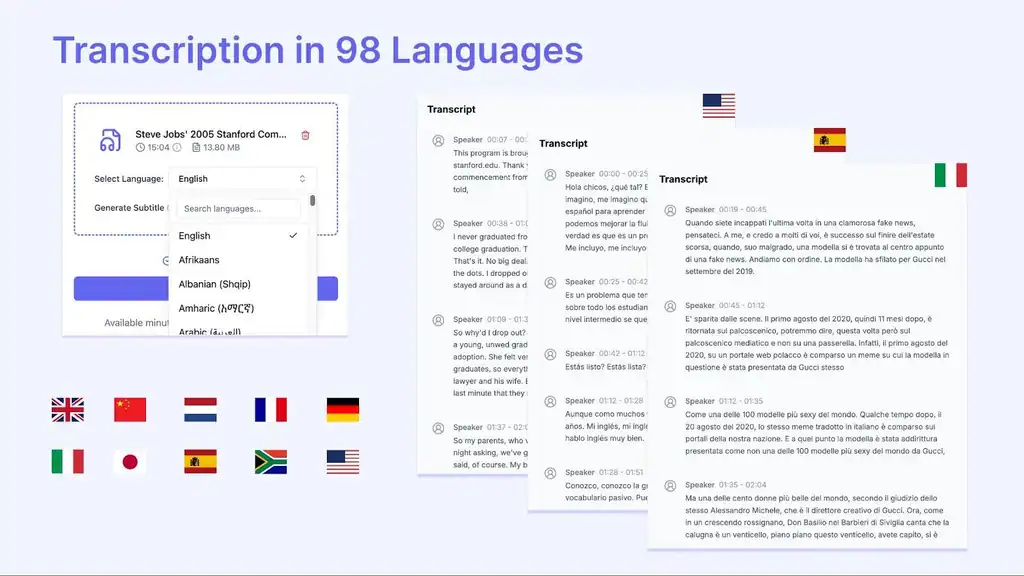
Transcribe in over 90 languages
Whether you’re working with international clients or handling multilingual content, you’ll be able to transcribe content in different languages.
- Supports transcriptions in 98 languages
- Easily work with international clients and multilingual content
Find key information in seconds
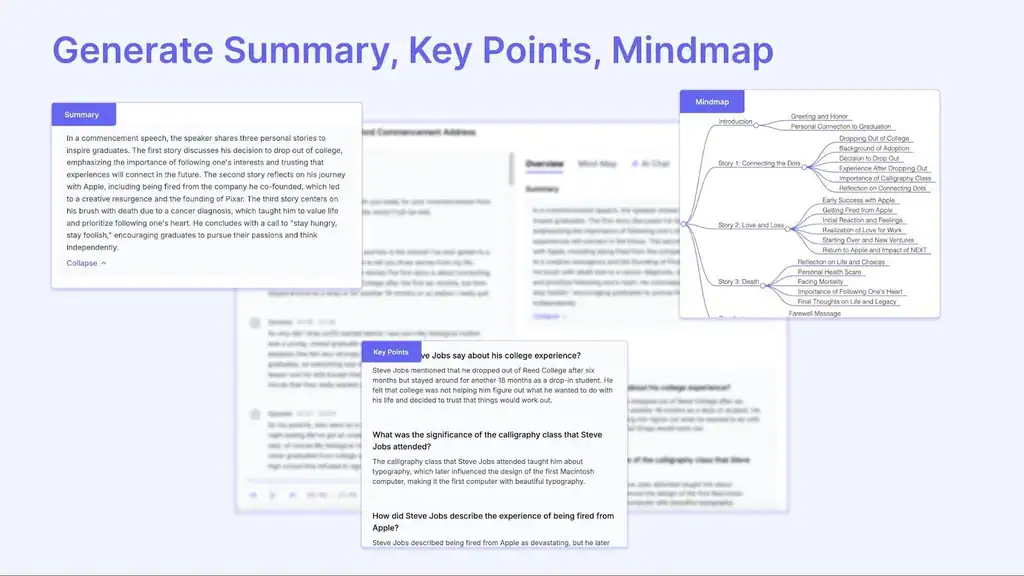
Want more than just raw text? UniScribe’s AI helps you quickly digest long recordings by making key information easy to find.
- Generates summaries and key points in a Q&A format
- Creates mind maps to help you visualize the content
- Perfect for researchers, educators, and content creators short on time
Export transcriptions in multiple formats
- Export transcriptions in multiple formats, including Word, PDF, TXT, CSV, SRT, and VTT
- Share results with anyone on your team to streamline workflows
From subtitles and documentation to searchable archives, UniScribe lets you use content the way you need it—without any additional formatting.
Get Lifetime access to UniScribe.