





Your email campaigns need a makeover, but you’re stuck doing it yourself unless you can train a dog to write copy, design graphics, and learn HTML. (“Sparky, welcome to ‘MasterClass’.”)
Unfortunately, balancing all your work tasks means you don’t have the time or resources to manually create targeted, well-designed emails that convert.
Good thing there’s an email platform that lets you whip up professionally designed email campaigns with a drag-and-drop email builder and advanced automations.
Meet Mailercloud.
Mailercloud lets you create, schedule, and automate professionally designed emails that can grow your subscriber list.
Design custom emails without writing any code, or use responsive email templates that optimize the viewing experience across devices.
You’ll be able to customize branding elements like font, color, button style, spacing, and graphics to create a seamless user experience.
Since you can drag and drop pre-designed content blocks, it’s super easy to create custom layouts.
Even better, Mailercloud lets you maximize conversions with AMP emails.Pack your emails with interactive content to boost engagement and click-through rates!
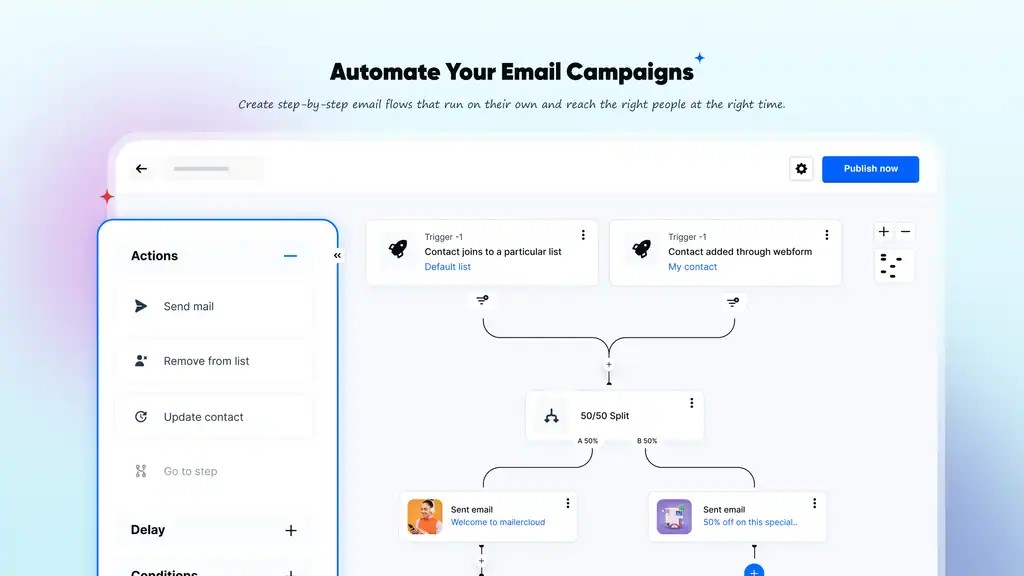
Create stunning emails using the no-code email builder with pre-designed content blocks.
Mailercloud lets you create custom email automation workflows at scale with multiple trigger points and workflow conditions.
Set time delays for emails to trigger the email at the optimal time or after set durations have passed.
You can also attach if/else, 50/50 split, or wait conditions to any email automation workflow. That way, the email is triggered as soon as the contact’s property value changes.
Not sure when’s the right time to send? Review real-time analytics and reporting data to target your email campaigns down to the hour.
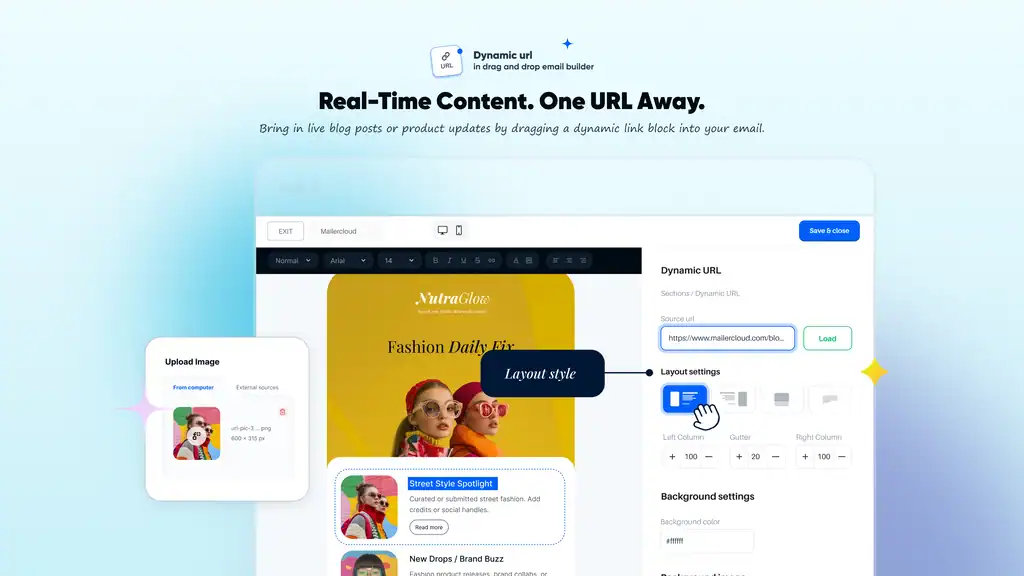
Create custom email automation workflows to trigger emails at a specific time.
With Mailercloud, you’ll be able to drag and drop your way to custom lead forms, turning anonymous website visitors into contacts automatically.
You can upload your contact list by importing a CSV file, and then add information about your subscribers in up to 100 data fields.
Use contact tags to create subscriber groups based on shared characteristics to send more targeted email content.
Once you create audience segments based on customer engagement levels, you’ll be able to reward engaged contacts, re-engage less active contacts, and remove inactive contacts.
Get lifetime access to Mailercloud today!