Quick look

macOS gives you a slider, not a resolution. (“Larger text or more space. Those are the choices.”)
Not great when you need an exact setting.
Good thing there’s an app that shows every resolution your screen can do.
Say hello to Display Maestro.
Display Maestro is a Mac menu bar app that gives you full control of every attached display, with all resolutions and bit depths.
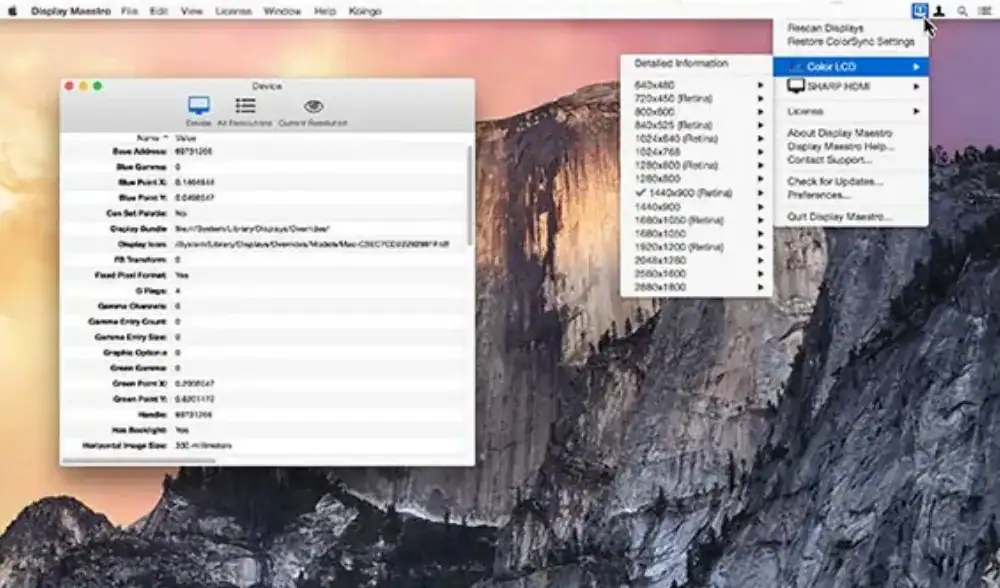
Every resolution, one menu
See all displays and resolutions in a Mac-style menu.
Hidden options unlocked
Show “unsafe” resolutions and restore ColorSync settings.
Deep display details
View gamma values, RGB points and vendor codes.
Know your screen
Check capabilities like mirroring and OpenGL acceleration.
Get lifetime access today!
Pay once. Own it forever.
Access Lifetime Deal No monthly bill, no renewal surprises. Grab while the lifetime price lasts.
Don't miss the next one
Get a heads-up before the best lifetime deals disappear. One email a week, free.