Today it is difficult to imagine a web application without an REST APIs. Popular testing tools have become too complex and resource consuming. Also, many alternatives only work in the cloud, which is not suitable for testing and debugging a locally deployed application.
Let’s look at a native tool for creating and testing your application’s API.
Meet NativeRest by NativeSoft.
NativeRest is a fast and lightweight REST API client for create, debug and test your API.
It is a 100% native desktop application for testing your API that does not use Electron. NativeRest starts fast, uses less memory and CPU.
NativeRest, unlike other popular tools, can be used without an account and internet connection. You decide to use only local workspaces or additionally create cloud workspaces.
When using local workspaces, all your collections, environments, requests will be stored only on your computer. When working as a team, you can create personal cloud and team cloud workspaces.
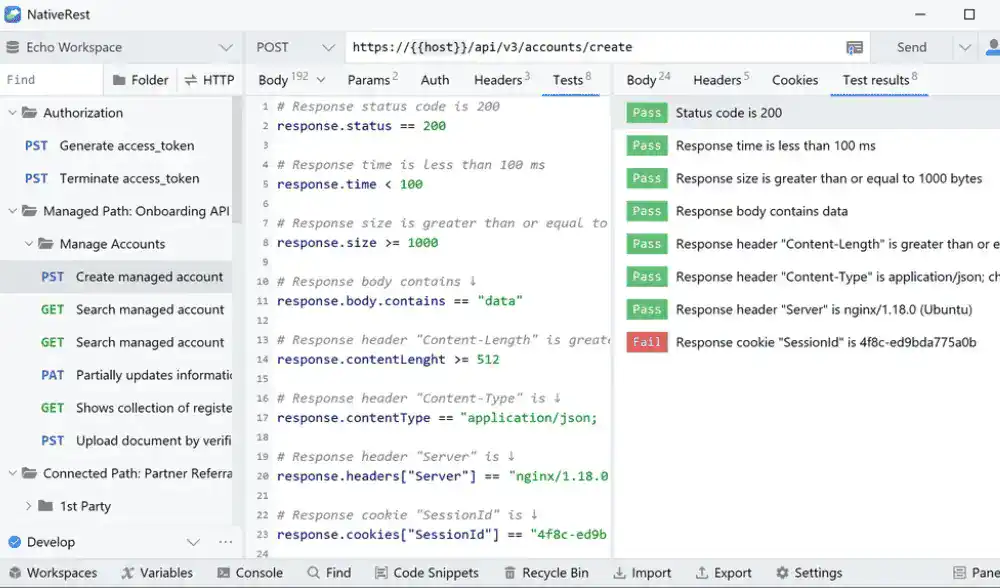
It also supports grouping requests into folders. Folders allow you to organize requests by categories or API sections; requests sorting is also supported.
When sending requests to AI models, you can use NativeRest’s built-in authentication. This way, you don’t need to create an OpenAI account and buy tokens. You can also authenticate using your token.
To send a request to AI models, you don’t need to construct a JSON request body, just specify your prompt and parameters, NativeRest will do the rest for you.
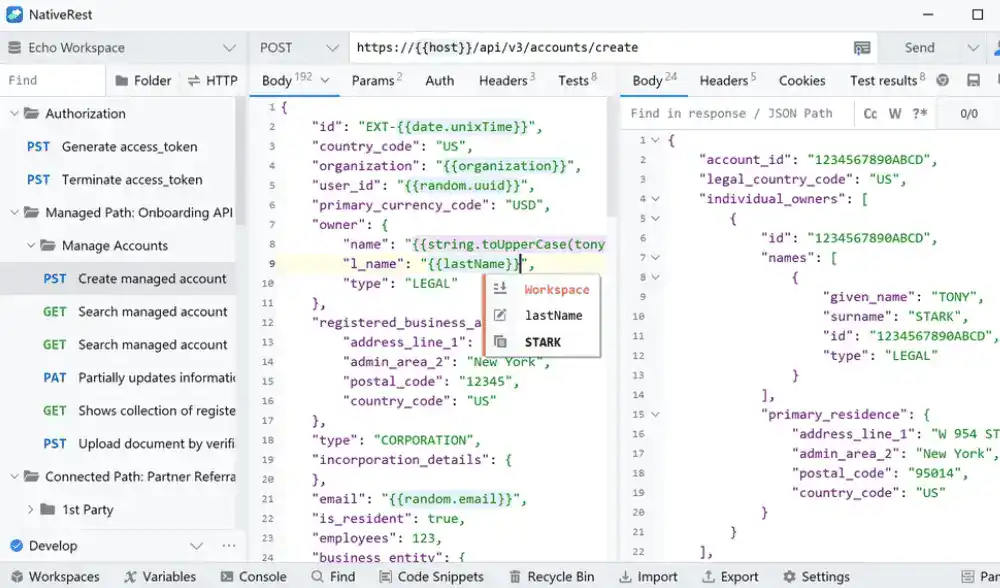
It is a multilingual HTTP client that supports multiple languages. It supports 10 languages, including English, Spanish, Portuguese, French, German, Russian, Bulgarian, Simplified Chinese, Traditional Chinese, Japanese.
It supports Light and Dark themes for all components and windows. NativeRest uses system theme by default, but you can manually choose a Light or Dark theme in the Settings window.
Try the fast native REST API client for creating and testing your application API.