Keeping your virtual audience’s attention is tough, especially when they’re busy laughing at TikToks in another window. (“Oh, I just thought he was really excited about the Q4 roadmap.”)
If you want to keep your attendees engaged instead of alt-tabbing away, you’ll need more options for connecting with them during online sessions.
Say hello to GoBrunch.
GoBrunch is a versatile webinar platform with a unique interface that provides more engagement and higher value for virtual attendees.
Table of Contents
With Zoom fatigue running high, GoBrunch transforms the way you run virtual sessions.
The platform’s unique interface allows you to make virtual events more fun with interactivity and a user experience that mimics in-person events.
You’ll be able to host unlimited webinars inside of GoBrunch—no installation required for you or your attendees!
It only takes a few minutes to set up your virtual classroom with the immediate ability to screen share with sound, enable your camera, and broadcast presenters.
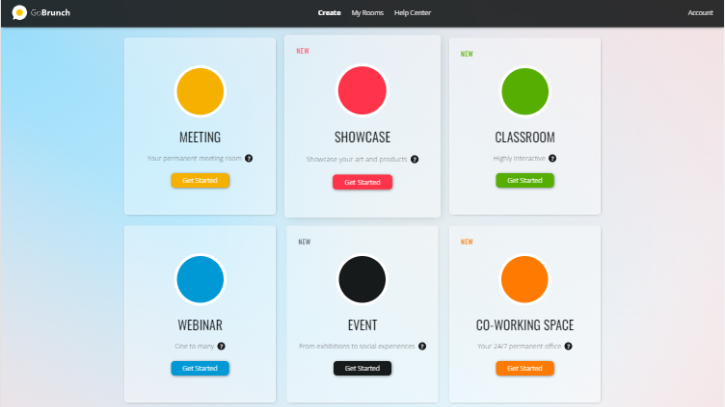
Create your GoBrunch virtual classroom or training event in minutes!
You can choose the room layout, giving participants the chance to pick their own seats and meet other attendees—just like in person!
Once the session is live, you’ll be able to play video content, present uploaded slides, record your sessions, and download video files.
Guests will be able to interact with the ability to raise their hands, vote, and raise signs.
Plus, at the end of the session, GoBrunch lets you download a detailed frequency report that displays how long each attendee participated in the live session.
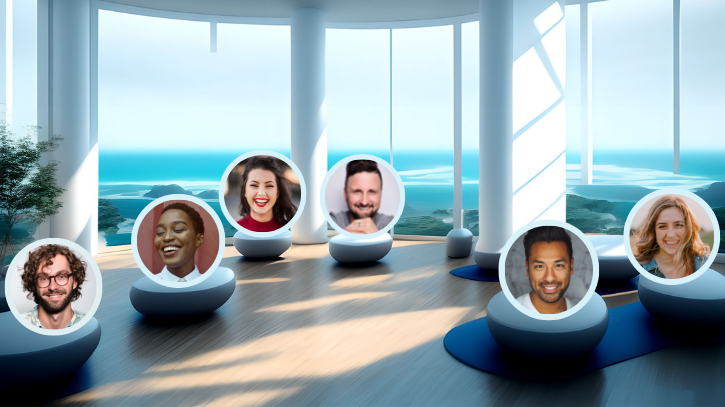
You can choose a seat and view other attendees’ profiles in the virtual event space
With GoBrunch, you never have to worry about someone accidentally leaving their mic on while the facilitator is presenting.
The facilitator can manage every mic and camera for every attendee to ensure that all the attention is on the person presenting.
You’ll also be able to control the screen and moderate the session chat, making sure that everything runs smoothly during your session.
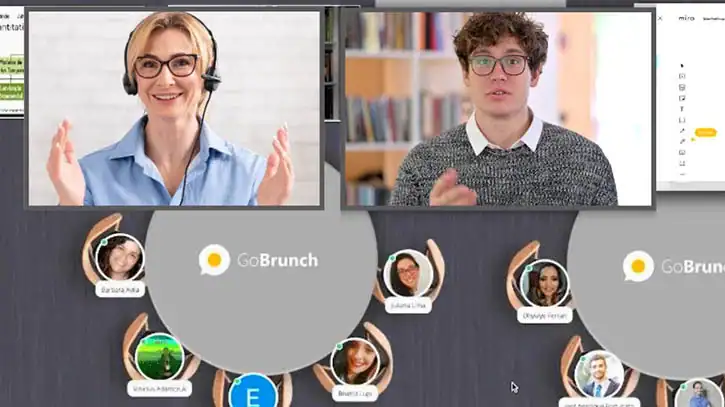
The facilitator can control cameras, mics, chat, and moderation features
GoBrunch makes it possible to create either public or private sessions for webinars, courses, meetings, and events.
Much like an in-person event, you can host multiple breakout rooms and sessions simultaneously with different facilitators assigned to each.
Share your custom event link with your attendees so they can browse through different sessions and join the ones that stick out to them.
Get lifetime access today!